Shortcuts & command palette
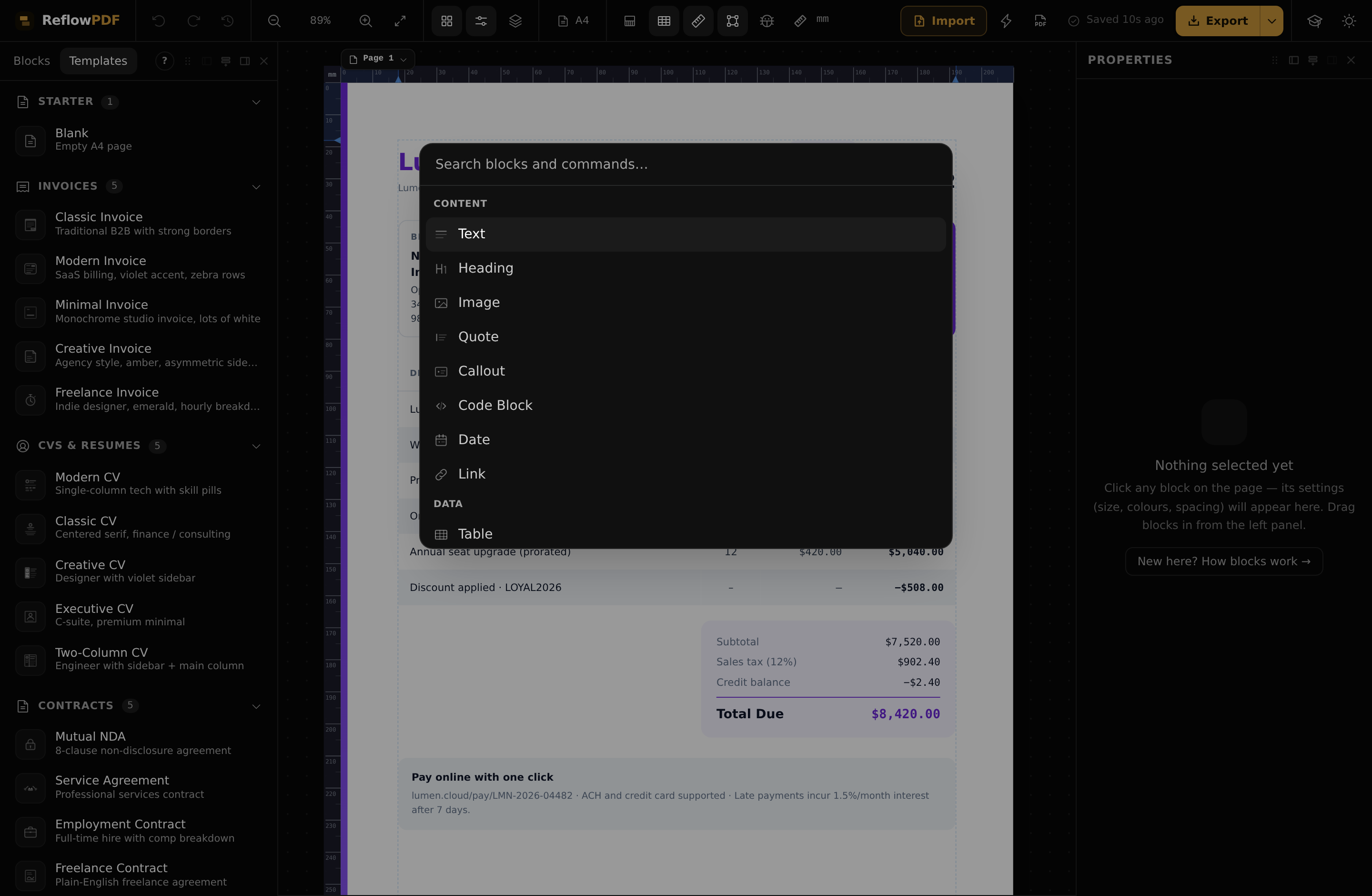
Press ⌘/Ctrl+K to search every block and action by name — it's the fastest way to do anything, and a good way to discover what's there. The keyboard shortcuts below cover the rest.
General
| ⌘/Ctrl+K | Open the command palette |
| ⌘/Ctrl+Z | Undo |
| ⌘/Ctrl+Shift+Z | Redo (also Ctrl+Y) |
| ⌘/Ctrl+E | Export to PDF |
| ⌘/Ctrl+P | Preview |
| Esc | Deselect / close a dialog |
Editing the selection
| Enter | Edit text, or drill into a container's first child |
| ⌘/Ctrl+D | Duplicate |
| Delete / Backspace | Delete (table-aware — removes a row/column when one is selected) |
| ⌘/Ctrl+Enter | Page break after (add Shift for break before) |
Selection & moving
| ↑ / ↓ | Select the previous / next sibling |
| Alt+↑ / ↓ | Move the selection up / down among its siblings |
| Alt+→ / ← | In the Layers panel: nest into / move out of the parent |
View & zoom
| ⌘/Ctrl+= / − | Zoom in / out |
| ⌘/Ctrl+0 | Zoom to fit |
| ⌘/Ctrl+Shift+O | Toggle layout overlays |
| Space+drag | Pan the canvas |
Note
No manual save shortcut — your work auto-saves to this browser as you go, and your exported PDF is the durable copy you can re-open later.