Don’t take our word for it. Download these three PDFs and run them through any PDF/UA validator:
- **Invoice (PDF/UA-1)** — a one-page billing document
- **Financial report (PDF/UA-1)** — multi-page, table-heavy
- **CV / résumé (PDF/UA-1)** — headings, lists, contact details
- **Reference document (PDF/UA-1)** — every tagged construct exactly once: definition lists, a formula, footnotes, form fields, typed artifacts
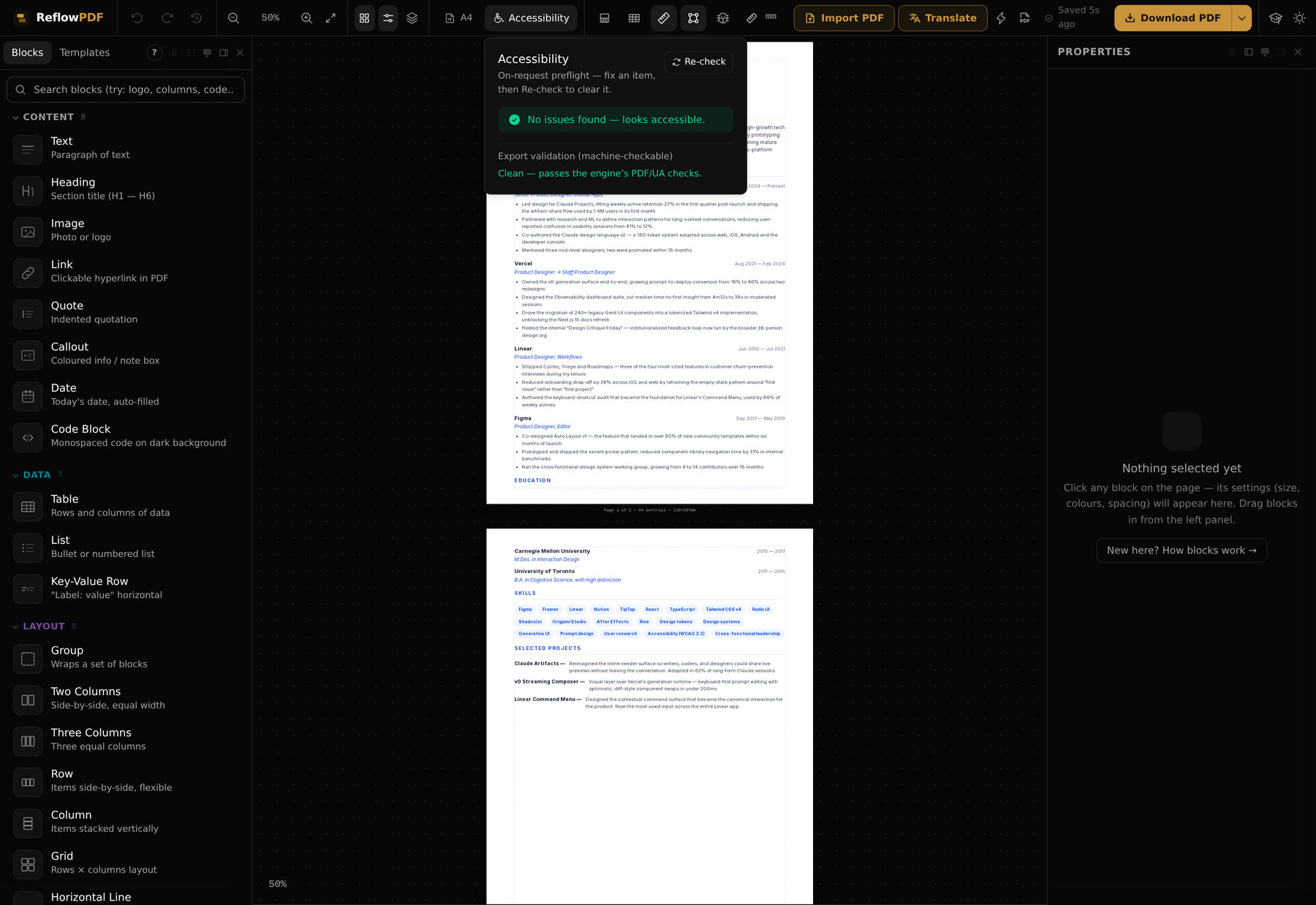
Drop any of them into veraPDF (the reference validator from the PDF Association), the PAC checker, or Acrobat’s accessibility checker. You’ll get the same result we do: PDF/UA-1, zero failures. The report alone passes 21,554 individual checks with none failing.
These came straight out of ReflowPDF’s HTML-to-PDF engine. No Acrobat. No manual remediation. That’s the part that’s rare — so here’s how it works and what it took.
What “accessible PDF” actually means
To a screen reader, an ordinary PDF is a bag of glyphs scattered at x/y coordinates with no idea which ones form a heading, which form a table, or what order to read them in. The document is perfectly legible to a sighted reader and completely opaque to everyone else.
A Tagged PDF fixes that by carrying a second, invisible layer: a structure tree — Document → H1 → P → Table → TR → TH/TD → … — that says what each piece of content is. PDF/UA (ISO 14289-1, “Universal Accessibility”) is the standard that defines how to build that tree correctly. It’s the difference between a document assistive technology can navigate and a wall of noise.
Why most HTML-to-PDF tools can’t do it
Building that tree requires knowing the structure. Most engines (dompdf, wkhtmltopdf) flatten everything to drawing operators and discard the structure — there’s nothing left to tag. The engines that tag well (Prince, Antenna House, PDFreactor) are premium commercial software starting in the thousands. The mainstream alternative is “export from Word, remediate by hand in Acrobat” — slow and easy to get wrong.
ReflowPDF is different for an architectural reason: the editor already works on the document’s semantic tree. A heading is a heading and a table is a table because that’s the model you edit — not a guess from font sizes. On export, we walk that same tree and emit the matching PDF/UA tags. Accessibility falls out of the architecture instead of being bolted on.
Concretely, every export now carries:
- A real structure tree (
/StructTreeRoot) with/MarkInfo /Marked true. - Marked content tying every glyph and image to the tree by MCID; decoration (backgrounds, borders, rules) marked
/Artifactso readers skip it. - Headings normalized to start at H1 and never skip a level.
- Tables as
Table → THead/TBody → TR → TH/TD, with/Scopeon every header cell. - Lists as
L → LI → { Lbl, LBody }. - Figures with
/Alt; links with/Contentswired into the tree. - Document language (
/Lang) and title (/Info /Title+ XMPdc:title), plus thepdfuaididentifier.
What it actually took (the unglamorous part)
We didn’t assume it worked — we ran every one of our 50 built-in templates through veraPDF. 16 of them failed. The validator is strict, and it caught real bugs a lighter checker had waved through:
- Artifacts marked with the wrong operator. We were emitting
/Artifact BDCwhere the spec requires/Artifact BMC(no property list). One missing operand meant the validator read every background and border as untagged content — 38 failures on one document. - Tables broken across page breaks. When a long table split onto a second page, the continuation rows lost their parent and ended up hanging off the document root instead of the table.
- Headings that skip levels. Templates that jumped from an
h1to anh3, or started ath2with noh1at all — invalid heading hierarchy. - Images with no alt text becoming figures with no description.
Each is now handled automatically, for any document — heading levels are normalized, table sections are re-nested even across pages, undescribed images become artifacts, and so on. We re-ran the full set: 50 of 50 templates validate clean. The three files at the top of this article are three of them.
Where automation stops (the honest part)
No tool — not ReflowPDF, not Prince, not Acrobat — can make a document fully conformant on its own, because PDF/UA deliberately requires human judgment for things software can’t check:
- Is the alt text meaningful (“Q1 revenue chart, up 12%”) or useless (“image1”)?
- Is the reading order logical?
- Are headings used semantically, not just because the text looked big?
ReflowPDF does the machine half completely and guides the human half — alt text with a sensible default and a “decorative” toggle, language and title in settings, headings you control. But the words in the alt field are yours, and for high-stakes regulated documents a human accessibility review is still the right final step. That’s true of every authoring tool; we just say it out loud.
So the honest claim is: ReflowPDF exports Tagged PDF that validates clean as PDF/UA-1 in veraPDF — accessible by construction, from the browser, with no manual remediation. Download the files above and check it — or open the editor and export your own.
Update, August 2026: what verifies this now
Two things changed since this post went up. The engine underneath is now written in Rust, and the checking got stricter — a rewrite is exactly when tagged output quietly stops being valid, so the tags are gated on every change. Four gates, all of which ran the day this update was written:
- veraPDF,
ua1profile, whole gallery. 51 of 51 templates validate clean. Hard failure, no ratchet: a template that stops passing is a product regression. - PAC, the second opinion. PAC implements the same standard independently and raises what the ISO machine rules leave as judgement. It found real defects veraPDF passed — bare
/Artifact BMCregions that tell a screen reader nothing (21 of 28 on one document, now typed/Layoutand/Pagination), SVG figures with no/BBox, footnotes no link pointed at. All fixed in the engine. Two independent implementations agreeing is evidence; one green screen is a screenshot. - Content-stream state. Graphics-state operator pairing per ISO 32000-2, Figure 9, across every template: zero violations. An unbalanced
q/Qproduces a file that looks fine and tags wrong. - Rule coverage, stated honestly. The veraPDF
ua1profile holds 106 rules. Our reference document passes all 106 and exercises 94 of them; the other twelve cover constructs the engine never produces (encryption, optional-content groups, TrapNet and PrinterMark annotations, multimedia clips, embedded CMaps, a Type 1CharSet). A rule with nothing to check passes by default, so “106 of 106” says less than it looks like it says.
The checklist we apply, and you can too, on any PDF from any tool:
| Question | How to check |
|---|---|
| Is it tagged at all? | pdfinfo file.pdf → Tagged: yes |
| Does it satisfy the machine rules? | verapdf -f ua1 --format text file.pdf → one PASS line per file |
| Does a second implementation agree? | Open it in PAC and read the warnings, not only the errors |
| Are decorative elements artifacts? | They should be typed artifacts (/Layout, /Pagination), not bare ones |
| Do all figures carry meaningful alt text? | Read every one out loud — no tool can judge this |
| Is the reading order the argument’s order? | Walk the tag tree, or listen to it |
| Does the container match the claim? | head -c 8 file.pdf → %PDF-1.7 for PDF/UA-1 |
That last row is not pedantry: ISO 14289-1 is written against ISO 32000-1, and the second edition of the standard is written against PDF 2.0 — which is a different file, with different rules and a different validator profile. That’s its own post.
Why it matters now
Accessibility stopped being optional. The EU Accessibility Act took effect in June 2025; EN 301 549 governs EU public-sector procurement; US Section 508 binds federal agencies and contractors; and inaccessible PDFs have driven ADA complaints in finance, education, and healthcare. If you publish into any of those worlds, untagged PDFs are a liability — and “export from Word, fix in Acrobat” doesn’t scale.
Editing a PDF structurally was always the point of ReflowPDF — the same reason overlay-based editors can't reflow content. Tagging it for accessibility turned out to be the same capability pointed at a different problem — and we pushed the same engine into archival territory with PDF/A-3a exports.