Loading…
Free template
Receipt Template — Free & Editable, Exports a Clean PDF
A tidy payment receipt you fill in your browser and send as a crisp PDF. Add a line and the totals reposition themselves — no broken columns. Free, no sign-up.
Free in your browser · no account to try · no install
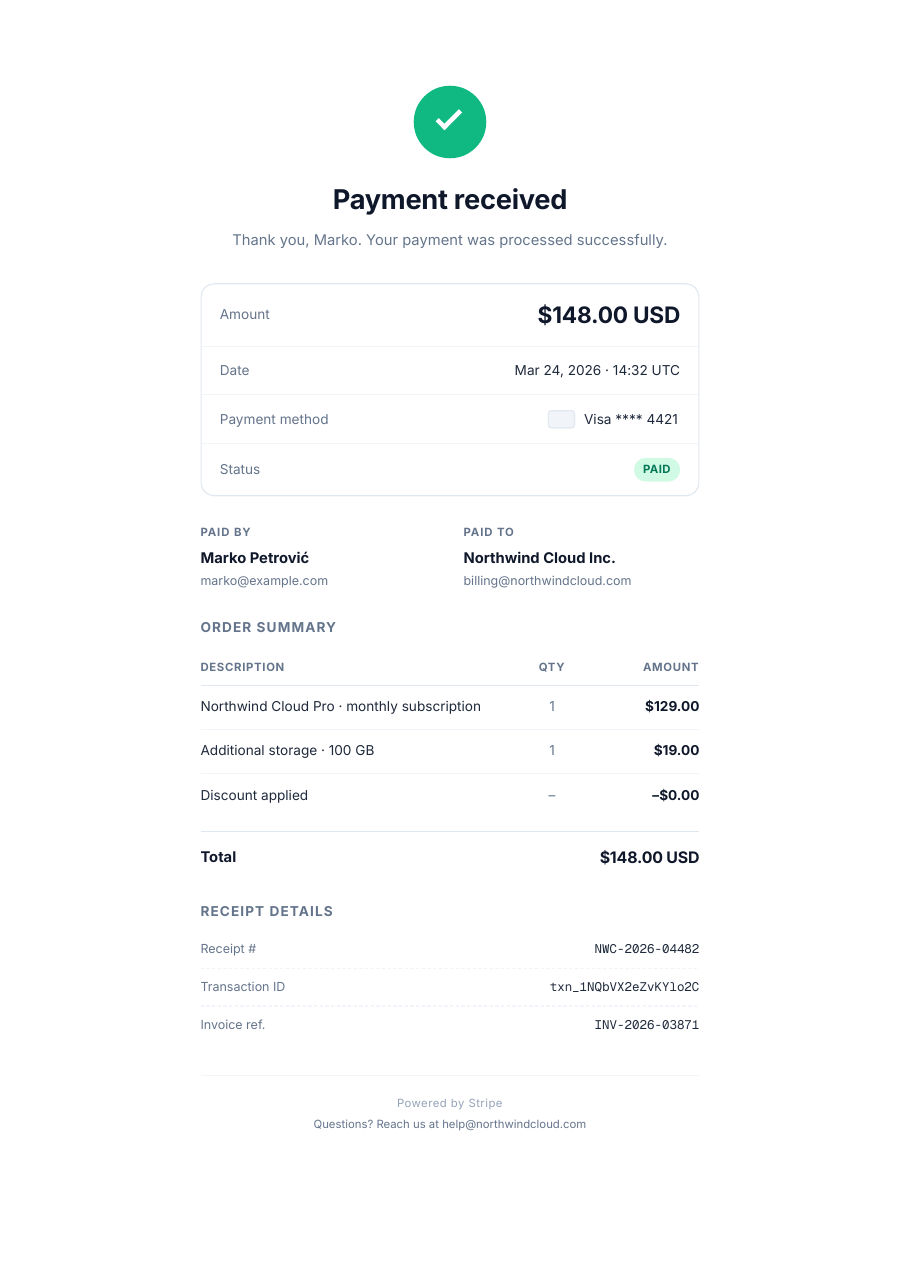
Took a payment? Send a clean receipt that looks the part. This one is ready to go: your business, who paid, what for, and a tidy items table with the total. Add a line, change an amount, note the payment method — and the total repositions itself to stay right below the table, so the numbers always line up. Two minutes later you export a crisp, tagged PDF that prints clean and lands the same on every screen.
Inside the Receipt template
Your business details and a receipt number and date
Who paid and what the payment was for
An items table — description, quantity, amount
Payment method and a total that repositions itself
A layout that stays aligned however many lines you add
How to write a Receipt
1
Open it — no sign-up
Hit “Open the template” and the receipt loads into the ReflowPDF editor in your browser. Nothing to install, no account, no watermark to dodge.
2
Add the items
Click a cell and type. Add a row for each item — and the total shifts down to stay right below the table. No re-aligning columns.
3
Note the payment
Set the amount, the method and the date. The math sits where it belongs and the layout holds, however many lines you add.
4
Export a clean PDF
Download a tagged, accessible PDF that prints crisp and renders the same everywhere — the tidy receipt your customer expects.
5
Reuse it anytime
Your export keeps its editable source, so you reopen it, change the details, and issue the next receipt in under a minute.
See it in the real editor
Real editor, real reflow: add items to the receipt and the total slides down to stay right below the table — no broken columns.
Why write your receipt in ReflowPDF
Add a line, the total follows
Insert a row and the total slides down to stay put below the table — the numbers never detach or overlap. That's structural editing, not text dragging.
A real PDF, not a flat image
The amounts stay live text — searchable and clean when printed — instead of a flattened picture of a receipt.
Tagged & accessible by default
Every export is a tagged PDF/UA file on every plan — a tidier, more professional document to hand a customer.
Reuse it every time
The embedded source means no rebuilding — reopen the receipt, change the details, and issue the next one in seconds.
Template vs Word vs Canva
A spreadsheet makes you fight column widths, and a Word table breaks its alignment when you add a row. Canva gives you a flat image you can't recalculate. ReflowPDF keeps the receipt a real, structured document: add lines in the browser, watch the total reposition, export a tagged PDF, and reopen it for the next one.
FAQ — receipt template
Is the receipt template free?
Yes — open it, edit it, and download a PDF on the free plan, watermark-free within a generous monthly limit. Paid plans lift the limits and add archival PDF/A export.
Can I add or remove items?
Yes. Add a row for each item and the total shifts down to stay below the table; remove one and everything tightens back up, with the columns still aligned.
Can I use it for cash or card payments?
Yes. Note the payment method — cash, card, transfer — on the receipt; the template adapts to whatever you took.
Will it print and email clean?
Yes. ReflowPDF exports a real, tagged PDF that renders identically everywhere and prints crisp — not a flattened image that shifts between screens.
Do I need to install anything?
No — it runs in your browser. Open, edit, download. Nothing to install and nothing to sign up for to try it.
Make your receipt now
Open the template, edit it in your browser, and download a clean tagged PDF. Free, no account, no install.