Loading…
Free template
Service Agreement Template — Free & Editable
A ready-to-edit service agreement you fill in your browser and download as a tagged PDF.
Free in your browser · no account to try · no install
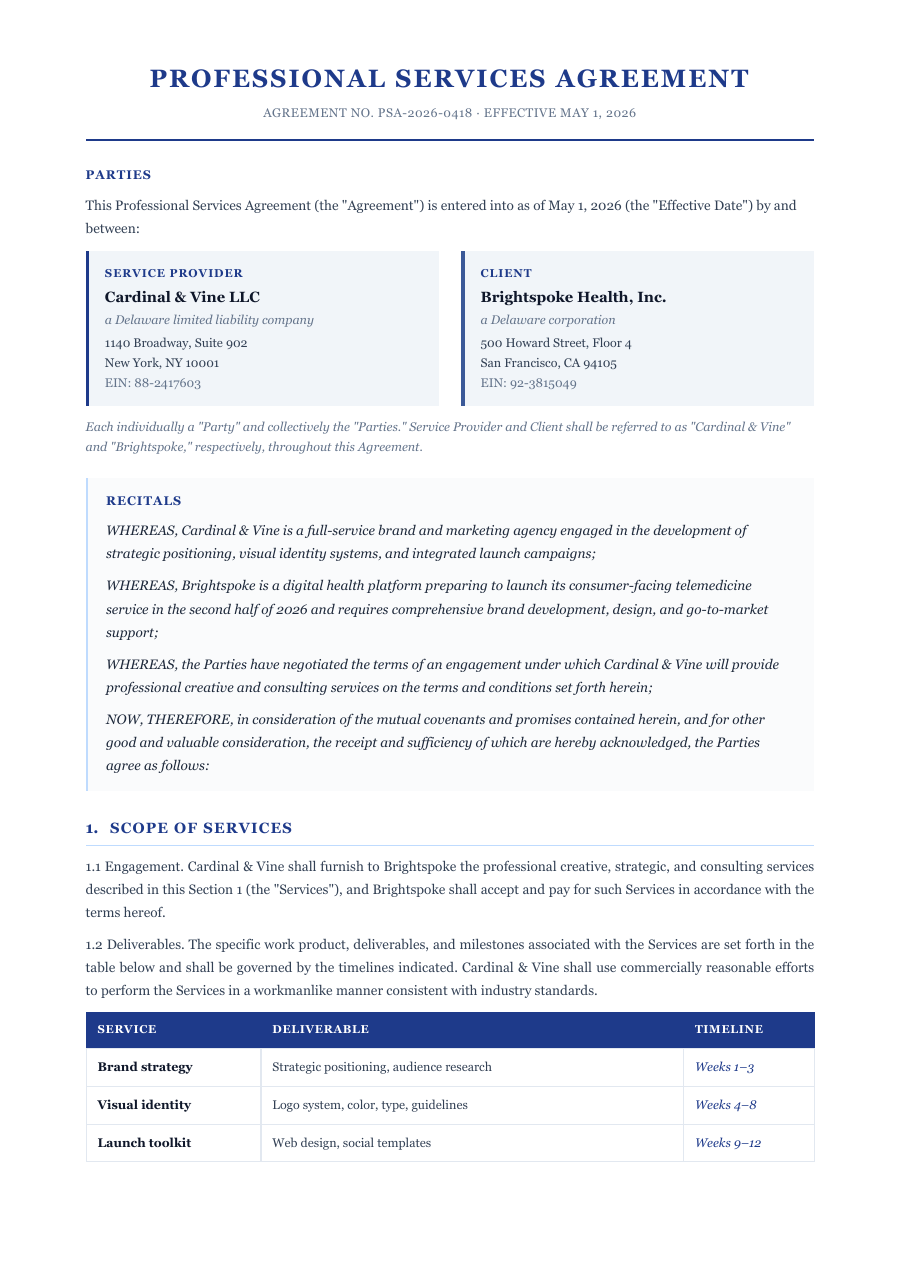
Taking on a client, or hiring a contractor? Put the terms in writing before the work starts. This service agreement is laid out and numbered the way it should be — the parties, the scope of services, fees and payment, term and termination, and the standard protections. Reword a clause to fit the job, add one, strike one, and the whole agreement reflows: numbering stays right, headers repeat, and page breaks fall between clauses. Export a clean, tagged PDF ready to sign.
Inside the Service Agreement template
Named parties and an effective-date block, ready to fill
A scope-of-services section you can spell out or keep broad
Fees, payment terms and expenses clauses, numbered correctly
Term, termination, liability and standard boilerplate
Clause numbering and page breaks that fix themselves as you edit
How to write a Service Agreement
1
Open it — no sign-up
Hit “Open the template” and the agreement loads into the ReflowPDF editor in your browser. Nothing to install, no account, no paywall to try it.
2
Set the parties and scope
Click any line to name the parties, define the services, and set the fees and dates. The text reflows as you type — no clause runs off the page.
3
Reword or add clauses
Tighten the scope, add a confidentiality or IP clause, strike one you don't need. Everything below shifts — numbering stays sequential and page breaks land between clauses, not mid-sentence.
4
Export a signable PDF
Download a tagged, accessible PDF that reads correctly everywhere and is ready to send for signature — not a flattened image of a contract.
5
Amend it later without redoing it
Your export keeps its editable source, so when the engagement changes you reopen the same PDF, adjust a clause, and re-export in seconds.
See it in the real editor
Real editor, real reflow: add a clause to a multi-page service agreement and the numbering, headers and page breaks all fix themselves.
Why write your service agreement in ReflowPDF
Edit clauses without breaking the contract
Add a clause to page one of a multi-page agreement and the pages after it reflow on their own — numbering stays correct, headers repeat, nothing overlaps.
Page breaks that respect your clauses
As content changes, the agreement re-paginates so breaks fall between clauses instead of splitting one across two pages — it looks drafted, not tampered with.
Tagged & accessible by default
Every export is a tagged PDF/UA file on every plan — proper structure and reading order, and a cleaner document to send.
Yours to amend, forever
The embedded source means no lock-in — reopen any agreement you've exported months later and change a term in seconds.
Template vs Word vs Canva
A Word template makes you own Word and renumber clauses by hand when you insert one. Canva can't structure a multi-page contract at all. ReflowPDF keeps the agreement a real, structured document: edit a clause in the browser, watch the numbering and page breaks fix themselves, export a tagged PDF, and reopen it to amend later.
FAQ — service agreement template
Is the service agreement template free?
Yes — open it, edit it, and download a PDF on the free plan, watermark-free within a generous monthly limit. Paid plans lift the limits and add archival PDF/A export.
Can I use it for contractors or consulting work?
Yes. The scope, fees and term clauses are written to adapt — keep it general for consulting, or spell out deliverables and milestones for a fixed project.
Will clause numbering stay correct if I add a clause?
Yes. Insert or remove a clause and everything below reflows — numbering stays sequential, headers repeat, and page breaks land between clauses.
Can I edit it after I download it?
Yes. Your exported PDF carries an editable source, so you reopen the file and amend a clause — no conversion, no re-typing the agreement.
Is this legal advice?
No — it's a professionally structured starting point, not legal advice. For a high-stakes agreement, have a lawyer review the final terms before signing.
Make your service agreement now
Open the template, edit it in your browser, and download a clean tagged PDF. Free, no account, no install.