Loading…
Free template
Consulting Proposal Template — Free & Editable
A polished consulting proposal you fill in your browser and send as a tagged PDF. Rework a section and it reflows — no broken layout.
Free in your browser · no account to try · no install
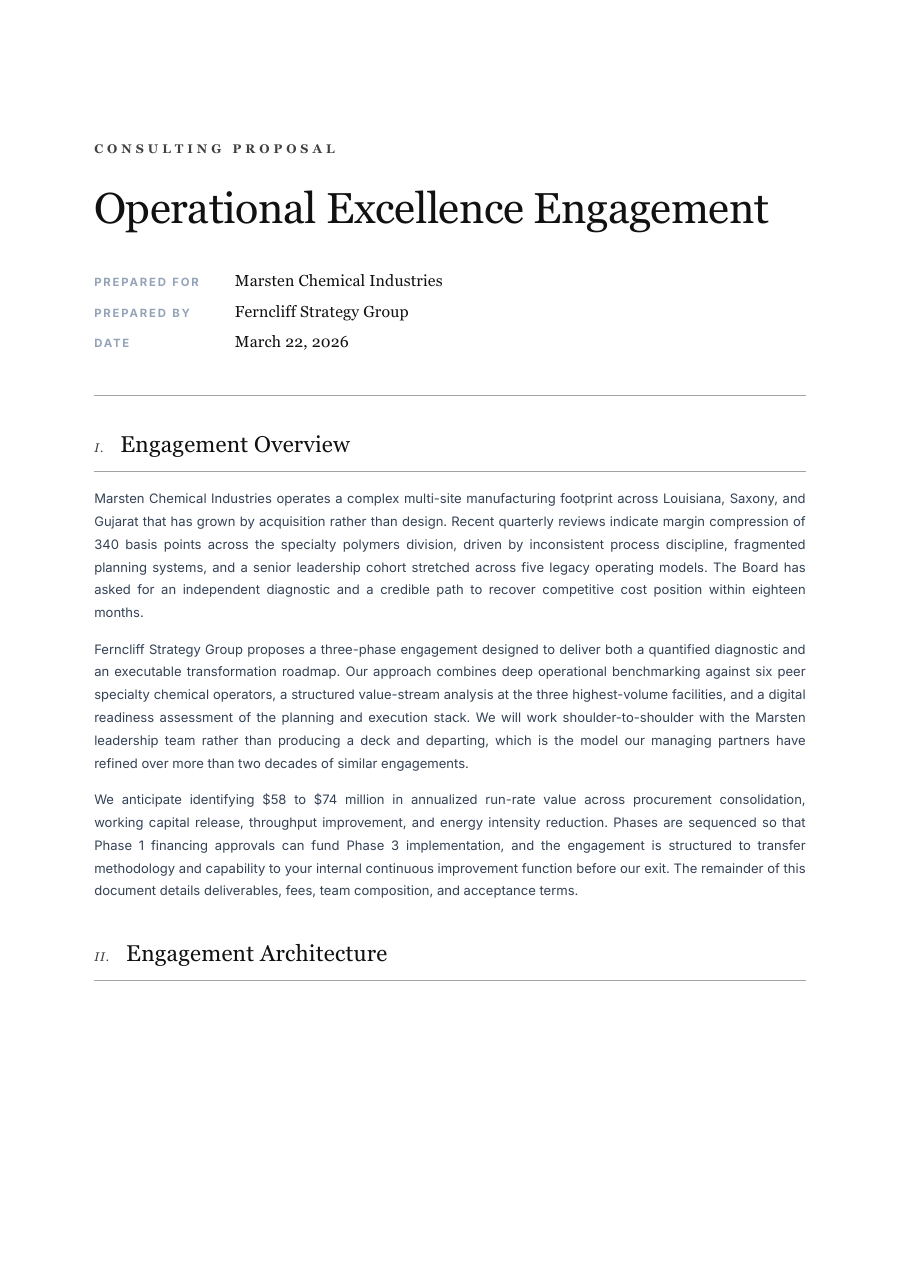
A consulting proposal has to do two things at once: show you understand the problem, and make the path forward feel inevitable. This one is built for it — an executive summary, your read on the situation, a phased approach, deliverables, fees, and the next step, all laid out to read like a firm that has done this before. Tailor it to the client, add your methodology, adjust the scope, and every section reflows to fit. Export a crisp, tagged PDF that lands as seriously as it reads.
Inside the Consulting Proposal template
A cover and executive-summary section
Your understanding of the client's situation
A phased approach with deliverables and timeline
Fees, terms and a clear next step
A layout that reflows as you tailor it per client
How to write a Consulting Proposal
1
Open it — no sign-up
Hit “Open the template” and the proposal loads into the ReflowPDF editor in your browser. Nothing to install, no account, no watermark to dodge.
2
Tailor it to the client
Click any line and type — their situation, your approach, the fee. Every section reflows as you write, so the layout never breaks or leaves a gap.
3
Add your methodology
Drop in your framework, expand a phase, cut what doesn't apply. Everything below flows down on its own — no dragging, no re-spacing.
4
Export a polished PDF
Download a tagged, accessible PDF that renders the same everywhere and prints clean — the professional proposal a serious engagement deserves.
5
Reuse it for the next pitch
Your export keeps its editable source, so you reopen it, swap the client and specifics, and send the next proposal fast.
See it in the real editor
Real editor, real reflow: expand a section of the consulting proposal and everything below flows down — no broken layout.
Why write your consulting proposal in ReflowPDF
Tailor it without breaking it
Every engagement is different, which means constant edits. Here each edit reflows — add a section, cut one — and the layout stays clean.
A real PDF, not a flat image
The text stays live and selectable, and the fees print crisp — not a flattened picture of a proposal.
Tagged & accessible by default
Every export is a tagged PDF/UA file on every plan — a tidier, more professional document to put in front of a client.
Reuse it for every pitch
The embedded source means no rebuilding — reopen it, swap the client and scope, and send the next one in minutes.
Template vs Word vs Canva
A slides deck or Word file breaks its layout the moment you add a section, and Canva exports a flat image you can't rework. ReflowPDF keeps the proposal a real, structured document: tailor it in the browser, watch each section reflow, export a tagged PDF, and reopen it for the next client.
FAQ — consulting proposal template
Is the consulting proposal template free?
Yes — open it, edit it, and download a PDF on the free plan, watermark-free within a generous monthly limit. Paid plans lift the limits and add archival PDF/A export.
Can I use it for any kind of consulting?
Yes. The situation, approach and fees sections adapt to strategy, management, technical or creative consulting — just fill in your own framework and scope.
Will the layout survive heavy edits?
Yes. Add a section, cut one, rewrite a paragraph — everything reflows and the spacing and page breaks adjust, so it always looks polished.
Do I need to install anything?
No — it runs in your browser. Open, edit, download. Nothing to install and nothing to sign up for to try it.
Make your consulting proposal now
Open the template, edit it in your browser, and download a clean tagged PDF. Free, no account, no install.
Related templates
Business Proposal template
A polished business proposal you fill in your browser and send as a tagged PDF. Rework a section and it reflows — no broken layout, no fighting the page.
Open templateSales Proposal template
A persuasive sales proposal you fill in your browser and send as a tagged PDF. Rework a section and it reflows — no broken layout.
Open template