Loading…
Free template
NDA Template — Free Non-Disclosure Agreement You Can Edit
A ready-to-edit non-disclosure agreement you fill in your browser and download as a tagged PDF.
Free in your browser · no account to try · no install
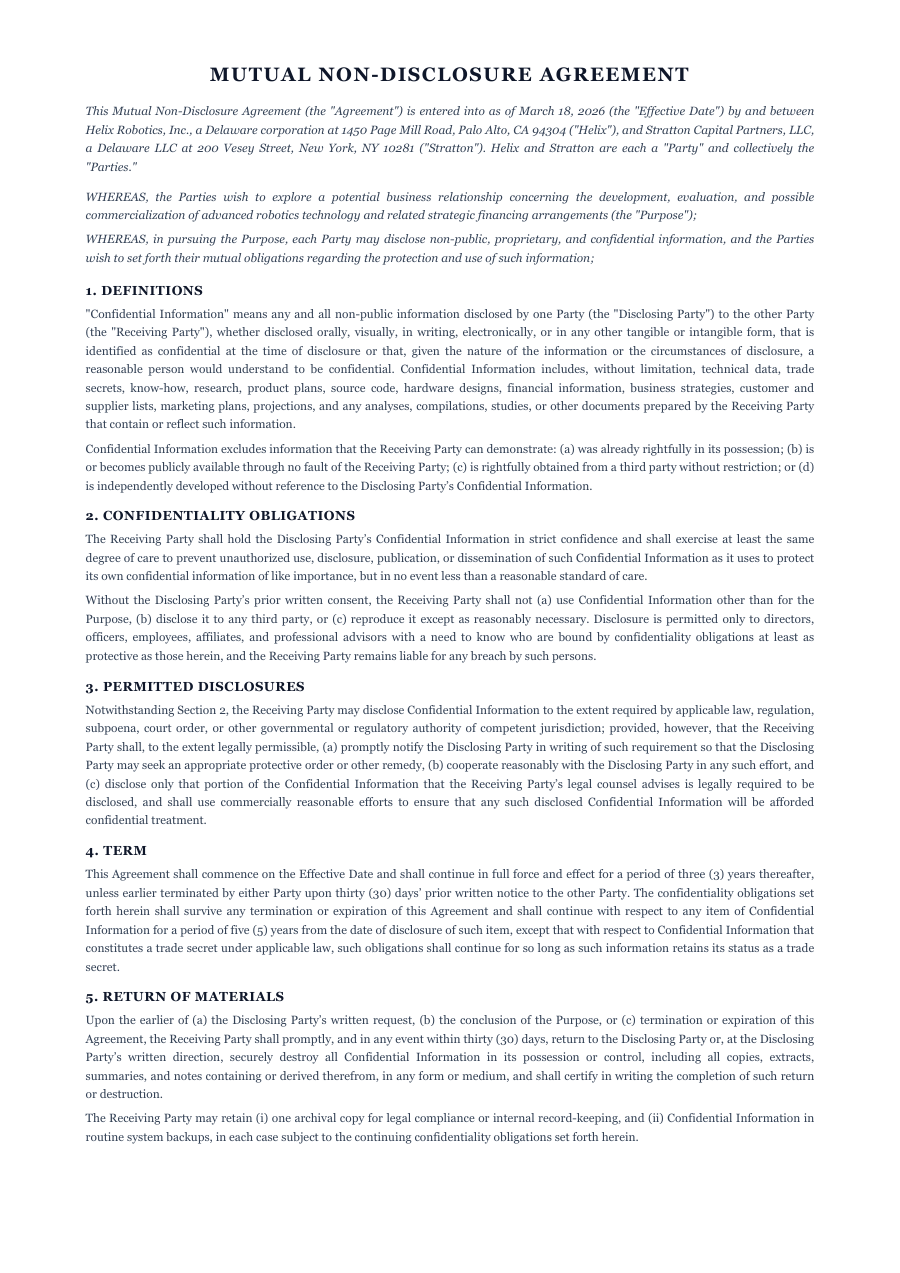
Before you share anything sensitive, you want an NDA in place — today, not after a lawyer's billable week. Start with this one. The parties, the definition of confidential information, the term, the obligations, the boilerplate — all laid out and numbered the way a real agreement should be. Reword a clause, add one, strike one, and the whole thing reflows: the numbering stays right, the headers repeat, and the page breaks fall between clauses instead of through them. Export a clean, tagged PDF ready to send and sign.
Inside the NDA template
Named parties and an effective-date block, ready to fill
A clear definition of “Confidential Information” you can tighten or widen
Obligations, term, and return-of-materials clauses, numbered correctly
Standard boilerplate — governing law, entire agreement, signatures
Clause numbering and page breaks that fix themselves as you edit
How to write a NDA
1
Open it — no sign-up
Hit “Open the template” and the NDA loads into the ReflowPDF editor in your browser. Nothing to install, no account, no paywall to try it.
2
Fill in the parties and terms
Click any line to set the names, the effective date, the term, and what counts as confidential. The text reflows as you type — no clause runs off the page.
3
Reword or add clauses
Tighten a definition, add a non-solicit clause, strike one you don't need. Everything below shifts — numbering stays sequential, headers keep repeating, and page breaks land between clauses, not mid-sentence.
4
Export a signable PDF
Download a tagged, accessible PDF that reads correctly everywhere and is ready to send for signature — not a flattened image of a contract.
5
Amend it later without redoing it
Your export keeps its editable source, so when terms change you reopen the same PDF, adjust a clause, and re-export — instantly, no reconversion.
See it in the real editor
Real editor, real reflow: add a clause to a multi-page NDA and the numbering, headers and page breaks all fix themselves — right across onto the next page.
Why write your nda in ReflowPDF
Edit clauses without breaking the contract
Add a clause to page one of a multi-page NDA and pages two and three reflow on their own — numbering stays correct, headers repeat, nothing overlaps. No dragging text boxes for an hour.
Page breaks that respect your clauses
As content changes, the agreement re-paginates so breaks fall between clauses instead of splitting one across two pages — the mark of a document that looks drafted, not tampered with.
Tagged & accessible by default
Every export is a tagged PDF/UA file on every plan — proper structure and reading order, which also means a cleaner, more professional contract to send.
Yours to amend, forever
The embedded source means no lock-in — reopen any NDA you've exported months later and change a term in seconds, no starting from scratch.
Template vs Word vs Canva
A Word template makes you own Word and renumber clauses by hand when you insert one. Canva can't structure a multi-page contract at all. ReflowPDF keeps the NDA a real, structured document: edit a clause in the browser, watch the numbering and page breaks fix themselves, export a tagged PDF, and reopen that same file to amend it later.
FAQ — nda template
Is the NDA template free?
Yes — open it, edit it, and download a PDF on the free plan, watermark-free within a generous monthly limit. Paid plans lift the limits and add archival PDF/A export and accessibility preflight.
Is this a mutual or one-way NDA?
It works either way — keep the obligations reciprocal for a mutual NDA, or edit them to bind only the receiving party for a one-way agreement.
Will the clause numbering stay correct if I add a clause?
Yes. Insert or remove a clause and everything below reflows — numbering stays sequential, headers repeat on every page, and page breaks land between clauses, not through them.
Can I edit the NDA after I download it?
Yes. Your exported PDF carries an editable source, so you reopen the downloaded file and amend a clause — no conversion, no re-typing the whole agreement.
Is this legal advice?
No — it's a professionally structured starting point, not legal advice. For a high-stakes agreement, have a lawyer review the final terms before you sign.
Make your nda now
Open the template, edit it in your browser, and download a clean tagged PDF. Free, no account, no install.
Related templates
Recommendation Letter template
Open a polished recommendation letter, swap in your details, and download a clean PDF in two minutes.
Open templateCover Letter template
A clean cover letter template you fill in your browser and download as a tagged PDF — the kind an applicant-tracking system actually reads.
Open template