Loading…
Free template
Employment Contract Template — Free & Editable
A ready-to-edit employment contract you fill in your browser and download as a tagged PDF.
Free in your browser · no account to try · no install
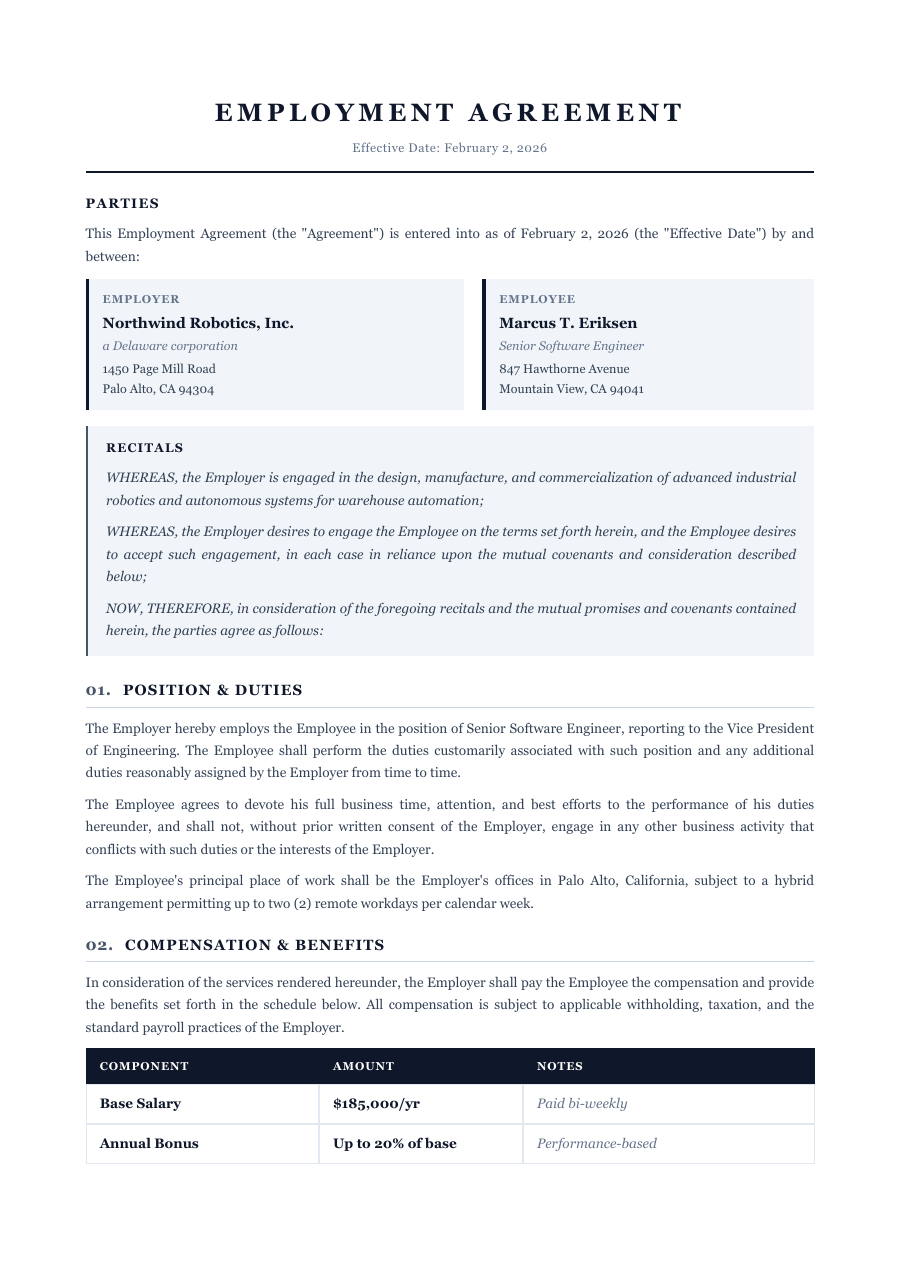
Making a hire? Get the offer in writing so both sides know exactly where they stand. This employment contract already covers the essentials — the role and start date, compensation and benefits, hours, confidentiality, and termination — all laid out and numbered properly. Change the salary, add a probation clause, adjust the notice period, and the whole agreement reflows: numbering stays right, headers repeat, and page breaks fall between clauses. Export a clean, tagged PDF ready to sign.
Inside the Employment Contract template
Employer and employee details, role title and start date
Compensation, benefits and working-hours clauses
Confidentiality, IP and post-termination obligations
Notice, termination and governing-law boilerplate
Clause numbering and page breaks that fix themselves as you edit
How to write a Employment Contract
1
Open it — no sign-up
Hit “Open the template” and the contract loads into the ReflowPDF editor in your browser. Nothing to install, no account, no paywall to try it.
2
Fill in the role and pay
Click any line to set the title, start date, salary, hours and benefits. The text reflows as you type — no clause runs off the page.
3
Adjust the terms
Add a probation or non-compete clause, change the notice period, strike one you don't need. Everything below shifts — numbering stays sequential and breaks land between clauses.
4
Export a signable PDF
Download a tagged, accessible PDF ready to send for signature — a professional contract, not a flattened image of one.
5
Reuse it for the next hire
Your export keeps its editable source, so you reopen it, change the name and salary, and send a fresh contract in under a minute.
See it in the real editor
Real editor, real reflow: add a clause to a multi-page employment contract and the numbering, headers and page breaks all fix themselves.
Why write your employment contract in ReflowPDF
Edit terms without breaking the contract
Add a clause on page one and the pages after it reflow on their own — numbering stays correct, headers repeat, nothing overlaps.
Page breaks that respect your clauses
The contract re-paginates as you edit, so a clause never splits awkwardly across two pages — it reads as drafted, not tampered with.
Tagged & accessible by default
Every export is a tagged PDF/UA file on every plan — proper structure and reading order, and a tidier document to send a new hire.
Reuse it for every hire
The embedded source means no rebuilding — reopen the contract, swap the name and salary, and issue the next offer in seconds.
Template vs Word vs Canva
A Word template makes you renumber clauses by hand when you insert one, and Canva can't structure a multi-page contract at all. ReflowPDF keeps the contract a real, structured document: edit a term in the browser, watch numbering and page breaks fix themselves, export a tagged PDF, and reopen it for the next hire.
FAQ — employment contract template
Is the employment contract template free?
Yes — open it, edit it, and download a PDF on the free plan, watermark-free within a generous monthly limit. Paid plans lift the limits and add archival PDF/A export.
Can I use it for full-time and part-time roles?
Yes. The hours, compensation and benefits clauses are written to adapt — set full-time terms, or edit them for part-time, fixed-term or hourly arrangements.
Will clause numbering stay correct if I add a clause?
Yes. Insert or remove a clause and everything below reflows — numbering stays sequential, headers repeat, and page breaks land between clauses.
Can I reuse it for the next hire?
Yes. Your exported PDF carries an editable source, so you reopen it, change the name, role and salary, and issue a fresh contract without rebuilding it.
Is this legal advice?
No — it's a professionally structured starting point, not legal advice. Employment law varies by jurisdiction, so have a professional review the final terms.
Make your employment contract now
Open the template, edit it in your browser, and download a clean tagged PDF. Free, no account, no install.