Loading…
Free template
Cover Letter Template — Free & Fully Editable
A clean cover letter template you fill in your browser and download as a tagged PDF — the kind an applicant-tracking system actually reads.
Free in your browser · no account to try · no install
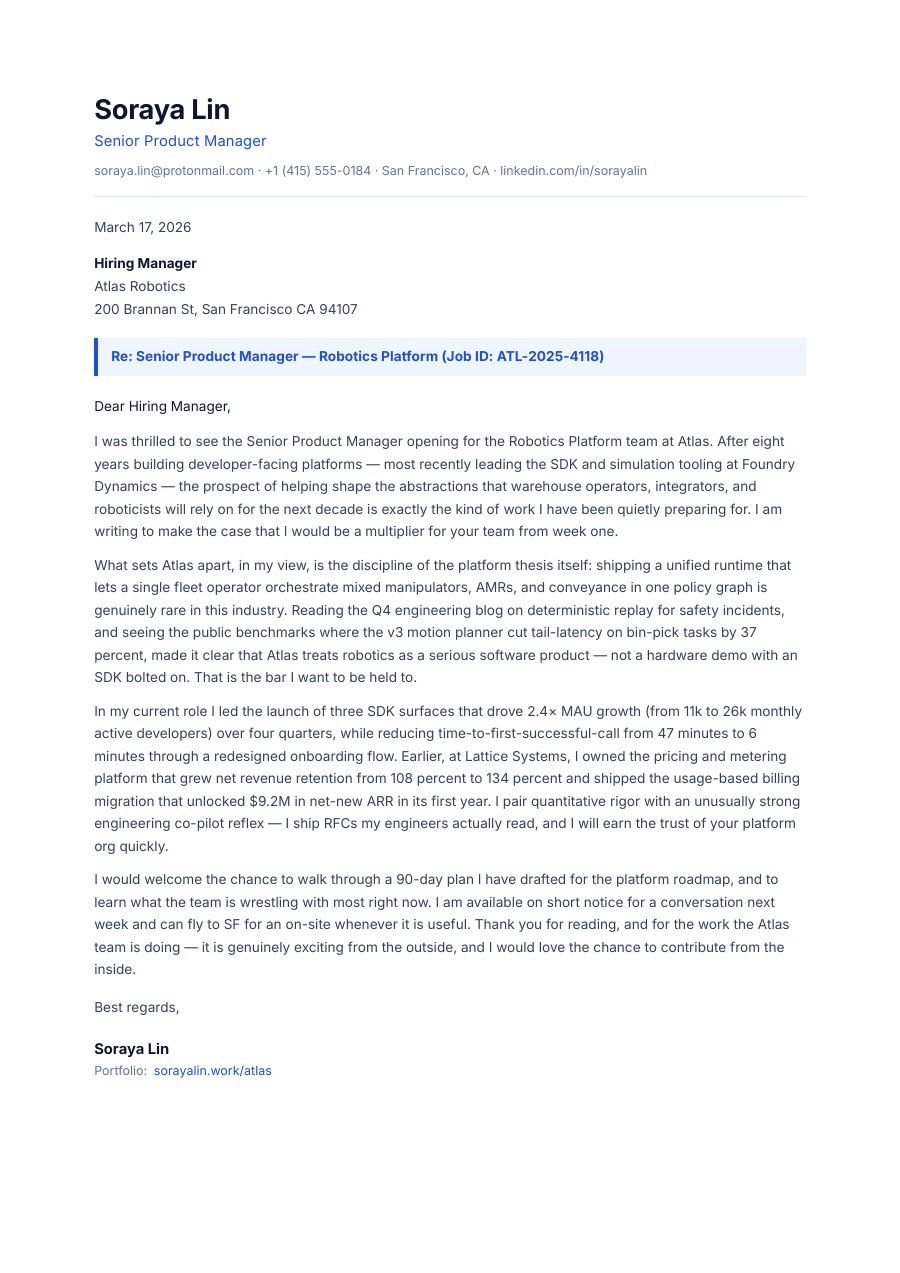
You're applying for a job, not writing a novel — but a cover letter still has to look sharp and read tight. This one is already laid out: your details up top, the hiring manager's below, and three paragraphs that make your case without rambling. Swap in the company, rewrite the middle, tailor it to the role — the letter reflows to fit, with no orphaned lines and no blown-out spacing. Two minutes later you export a clean, tagged PDF that opens the same everywhere, including the applicant-tracking systems recruiters screen with.
Inside the Cover Letter template
Your contact header and the employer's address block, ready to swap
Date, greeting and a strong sign-off already in place
Three body paragraphs — the hook, the fit, and the close — with prompts you type over
A signature line with your name and title
Tight, consistent spacing that holds when you rewrite for the next role
How to write a Cover Letter
1
Open it — no sign-up
Hit “Open the template” and the cover letter loads into the ReflowPDF editor in your browser. Nothing to install, no account, no watermark to dodge.
2
Tailor it to the job
Click any line and type — the company, the role, why you're a fit. Every paragraph reflows as you write, so the page never breaks or leaves a lonely line at the bottom.
3
Cut it to one page
Trim a sentence or a whole paragraph and everything tightens up on its own. Recruiters skim — one clean page beats two padded ones, and the layout stays sharp either way.
4
Export a real PDF
Download a tagged, accessible PDF — the format that survives an applicant-tracking system intact, unlike a screenshot or a flattened export.
5
Reuse it for the next role
Your export keeps its editable source, so you reopen this exact PDF, change the company and two lines, and send it — no starting over for every application.
See it in the real editor
Real editor, real reflow: tailor the letter and it stays a clean single page — cut a line and everything tightens, add one and it flows, no gaps and no awkward spill.
Why write your cover letter in ReflowPDF
Rewrite it without breaking it
Tailoring per role means constant edits. Here every edit reflows — cut a line, add one, the page stays clean instead of leaving gaps or spilling onto a second sheet.
A real PDF an ATS can read
The text stays live and machine-readable — so an applicant-tracking system parses your letter instead of choking on a flat image of it.
Tagged & accessible by default
Every export is a tagged PDF/UA file on every plan. Accessible by default isn't just compliance — it's what keeps your letter readable by the software between you and the recruiter.
One page, every time
Reflow keeps the letter to a tight single page as you edit, so you never fight margins to dodge an awkward two-page spill.
Template vs Word vs Canva
A Word template needs Word, and its “Save as PDF” often produces an untagged file an ATS can misread. Canva makes a pretty letter you can't edit back and that exports as a flat image. ReflowPDF keeps it a real, structured document: tailor it in the browser, export a tagged PDF an ATS can parse, and reopen that same PDF for the next application.
FAQ — cover letter template
Is the cover letter template free?
Yes — open it, edit it, and download a PDF on the free plan, watermark-free within a generous monthly limit. Paid plans lift the limits and add features like accessibility preflight.
Can I reuse it for different jobs?
That's the point. Your exported PDF keeps its editable source, so you reopen it, change the company and a couple of lines, and send — no rebuilding it for every role.
Will it stay on one page?
Yes. As you edit, the letter reflows to fit — so trimming a sentence tightens the page instead of leaving a gap, and it won't spill onto a second sheet unless you want it to.
Is the PDF readable by applicant-tracking systems?
Yes. ReflowPDF exports a real, tagged PDF with live text and reading order, so an ATS parses the content instead of failing on a flattened image.
Do I need to install anything?
No — it runs in your browser. Open, edit, download. Nothing to install and nothing to sign up for to try it.
Make your cover letter now
Open the template, edit it in your browser, and download a clean tagged PDF. Free, no account, no install.